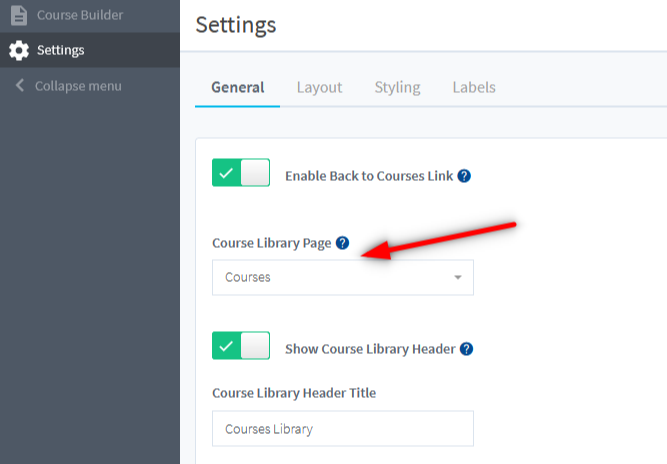
The Course Library Page is created automatically unless you specify a different Course Library Page in the Courses > Settings > General section.
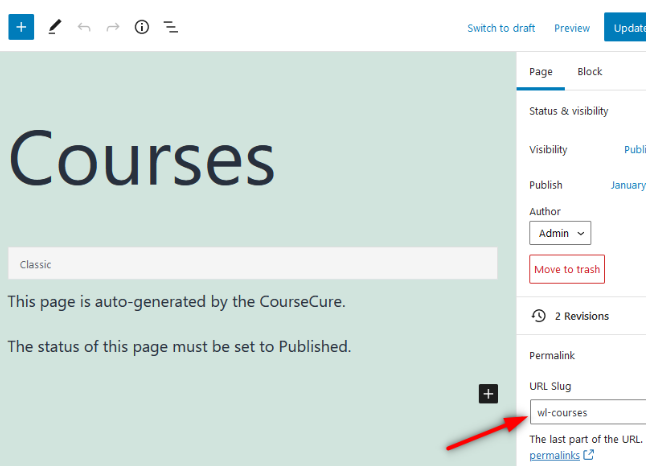
When the Course Library Page is auto created, the slug is set as ‘wl-courses’
If you don’t want ‘wl-courses’ in the Course Library Page slug, you can create a new page and name it how you would like and set it as the Course Library Page.
—
Or you can change the slug of the default Course Library page. That can be set in the Permalink section of the Page settings:
—